

How to Remove Phone Case Safely for Families
Every british parent knows that mobile phone mishaps can happen in a split second. With over 60 percent of London families relying on smartphones for daily life, protecting your devices goes beyond just choosing sturdy cases. Properly removing and replacing cases helps prevent accidental scratches, lost SIM cards, or costly repairs. This guide shares step-by-step safety tips that every british family can trust when caring for their phones at home.
Table of Contents
- Step 1: Prepare Your Device For Safe Case Removal
- Step 2: Examine Case Edges And Access Points
- Step 3: Gently Loosen The Case Corners
- Step 4: Slide Out The Phone Carefully
- Step 5: Check Your Device And Case For Damage
Quick Summary
| Key Takeaway | Explanation |
|---|---|
| 1. Back up data before removal | Protect critical information by backing up your phone before attempting case removal. |
| 2. Identify case attachment type | Examine the case design to understand how it attaches to the phone for safe removal. |
| 3. Loosen corners gently | Carefully create a gap at the corners of the case to avoid stress or damage to the phone. |
| 4. Handle the phone with care | Use both hands to maintain control while extracting the device slowly from its case. |
| 5. Check for damage post-removal | Inspect the phone and case for any signs of wear or damage to ensure continued protection. |
Step 1: Prepare your device for safe case removal
Preparing your smartphone for case removal requires careful attention and methodical steps. Before you start manipulating your device, you want to ensure its complete safety and protect your valuable data. Backing up critical information should be your first priority.
Start by powering off your mobile phone completely. This prevents any accidental inputs or system interactions while you are working with the device. Remove your SIM card and any external memory cards to prevent potential damage. Place the phone on a soft cloth or clean microfibre surface to minimise risks of scratches or accidental drops. Position yourself in a well-lit area with a stable workspace where you can comfortably handle the device without interruption.
Expert tip: Always work in a static-free environment and keep a small container nearby to store tiny components like SIM cards during the case removal process.
Step 2: Examine case edges and access points
Removing a phone case requires strategic preparation and careful observation. Assessing case design details helps you understand the specific method needed for safe removal.
Carefully inspect your phone case to determine its attachment mechanism. Some cases use snap-on designs, while others feature sliding or clip-on configurations. Check the edges systematically look for small gaps or release points where the case connects to the device. Gently press and feel the edges to understand the case’s flexibility and attachment strength. Pay special attention to corners and side sections, as these areas typically provide the most reliable starting points for case removal.
To clarify the variety of phone case designs, here is a comparison of common attachment mechanisms:
| Case Type | Removal Difficulty | Risk of Device Damage |
|---|---|---|
| Snap-on | Low | Minimal if gentle handled |
| Slide-on | Medium | Moderate, may scratch sides |
| Clip-on/Holster | Medium | Higher at clip points |
| Rugged/Hybrid | High | Potential for corner stress |
Expert tip: Use natural light or a bright lamp to help you identify subtle attachment points and potential stress lines in your phone case more effectively.
Step 3: Gently loosen the case corners
Removing a phone case requires patience and a delicate touch, particularly when working with the corners of your device. Phone case removal techniques demand careful manipulation to prevent potential damage.
Begin by identifying the most flexible corner of your phone case. Using your thumb and index finger, apply gentle pressure to create a small separation between the case and the device. Move slowly and systematically, gradually increasing the gap without forcing or twisting the material. Work your fingernail or a soft plastic opening tool carefully into this initial separation, maintaining consistent light pressure. Rotate your grip around the corner, gradually lifting the edge while ensuring you do not bend or stress the phone or case material.

Expert tip: Keep your movements slow and controlled, treating the case like a delicate membrane that requires precision and gentleness.
Step 4: Slide out the phone carefully
With the corners now loosened, your next critical task is extracting your smartphone from its protective casing without causing any potential damage. Phone drop protection methods emphasise the importance of gentle handling during this delicate process.
Position the phone horizontally and use both hands to maintain control. Slowly and evenly apply gentle pressure along the edges, gradually separating the phone from the case’s interior. If you encounter resistance, do not force the device. Instead, return to the corner and carefully wiggle the case loose, ensuring you are not bending or twisting either the phone or the case. Move incrementally, supporting the phone’s weight and preventing any potential slippage or accidental drops.
Expert tip: Work on a clean flat surface with soft padding underneath to provide an additional layer of protection in case the phone accidentally slips during removal.
Step 5: Check your device and case for damage
Now that your phone is free from its case, a thorough inspection becomes crucial for maintaining your device’s longevity. Mobile device protection steps highlight the importance of careful examination after case removal.
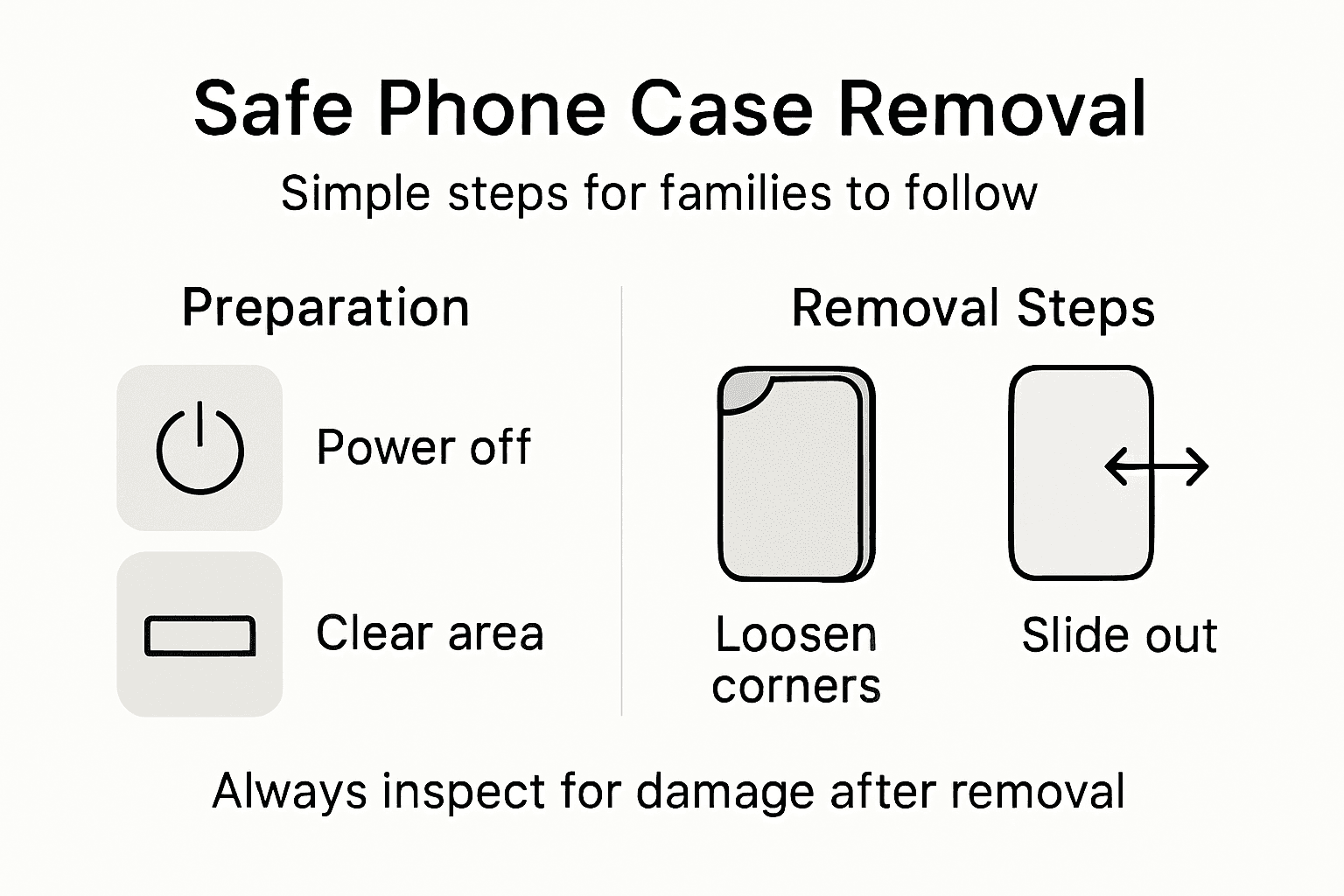
Begin by inspecting the phone’s surface carefully under good lighting. Look for any microscopic scratches, hairline cracks, or signs of wear on the screen, edges, and back panel. Pay special attention to the corners, buttons, charging ports, and speaker grilles. Similarly, examine the phone case for any structural damage, including hairline cracks, warped edges, or areas of significant wear that might compromise its future protective capabilities. Note any significant damages that might require professional repair or case replacement.
For easy reference, here are key post-removal checks to protect your mobile device:
| Inspection Area | What to Look For | Recommended Action |
|---|---|---|
| Screen & Edges | Micro-scratches, cracks | Clean, consider protector |
| Button Openings | Sticking or looseness | Test and check alignment |
| Case Structure | Warping, hairline cracks | Replace if integrity lost |
| Ports & Grilles | Dust, bending | Clean gently if required |
Expert tip: Use a bright torch or natural daylight to illuminate your device, as overhead lighting can often mask subtle imperfections during your inspection.
Protect Your Device with Confidence Using StudioShake
Removing a phone case safely can be tricky, especially when you want to avoid damage to your device or case. If you value careful handling and long-lasting protection, choosing the right case is just as important as knowing how to remove it. StudioShake offers a reliable £1 Case Collection designed to combine durability with easy handling, perfect for families seeking peace of mind when swapping cases.

Explore our wide range of protective solutions on StudioShake to find cases that keep your devices safe without compromising style or comfort. Need something with premium features? Browse our MagSafe collection for effortless attachment and strong protection. Don’t wait until accidental drops or scratches happen—upgrade your phone’s safety now and enjoy hassle-free case removal every time.
Frequently Asked Questions
How can I prepare my device for safe phone case removal?
To prepare your device for safe phone case removal, start by backing up your critical information and power off your smartphone. Remove the SIM card and any external memory cards, then place your phone on a soft cloth to avoid scratches while working.
What should I look for to determine how to remove my phone case?
Inspect the edges and access points of your phone case to identify the attachment mechanism, such as snap-on or slide-on designs. Look for small gaps or release points where the case connects, focusing on corners and sides that often offer the best starting points for removal.
How do I gently loosen the phone case corners?
To loosen the phone case corners, find the most flexible corner and gently apply pressure to create a small separation between the case and the device. Use your fingers or a soft plastic opening tool to work the separation slightly wider without forcing or twisting any material.
What is the best way to slide out the phone from the case?
Position the phone horizontally and use both hands to maintain control while gently applying pressure along the edges. If you encounter resistance, return to the corner and carefully wiggle the case loose, ensuring not to bend or twist the phone during the process.
What should I check for after removing my phone case?
After removing the phone case, inspect the device thoroughly for micro-scratches or cracks on the screen and edges, as well as any potential wear around buttons and ports. Also, examine the case itself for any warping or structural damage that could affect its protective capabilities.