

Safe Mobile Charging Guide for Device Protection
Every parent faces the challenge of keeping their family’s tech safe in a busy London home, especially as children grab for smartphones and chargers. Choosing the right charging accessories and creating a secure setup helps prevent overheating, electric shocks, or battery damage. This guide covers practical steps to select genuine chargers from authorised retailers and set up safer charging routines, so you can confidently protect your devices and the people who use them every day.
Table of Contents
- Step 1: Choose Reliable Charging Accessories
- Step 2: Set Up A Secure Charging Space
- Step 3: Connect Devices Correctly And Safely
- Step 4: Monitor Charging Activity
- Step 5: Check Device And Charger Safety Regularly
Quick Summary
| Essential Insight | Detailed Explanation |
|---|---|
| 1. Choose certified chargers | Always purchase chargers from authorised retailers with safety certifications to prevent device damage and safety hazards. |
| 2. Create a safe charging space | Set up a designated area away from moisture and high-traffic zones to protect devices and reduce fire risks. |
| 3. Inspect connections before use | Check connectors and cables for damage or debris to ensure safe and effective charging without risking device harm. |
| 4. Monitor devices during charging | Regularly check device temperature and listen for unusual sounds to catch potential problems early. |
| 5. Conduct regular safety inspections | Perform monthly checks on chargers and devices to identify and resolve issues before they lead to dangerous situations. |
Step 1: Choose reliable charging accessories
Selecting a trustworthy charger is your first defence against device damage and safety hazards. Poor-quality chargers can cause overheating, battery degradation, and even electrical risks for your family.
Start by checking whether the charger comes from an authorised retailer. High street electronics shops, official brand websites, and established online retailers stock genuine products that meet safety standards. Avoid marketplace sellers with minimal feedback or suspiciously low prices.
Look for certification marks on the packaging or the charger itself. UK and European safety standards require chargers to display CE markings, and many brands add additional certifications. These symbols indicate the product has passed rigorous testing. Genuine charging accessories from reputable retailers significantly reduce risks such as electric shocks or fire hazards.
Verify the charger’s compatibility with your specific device model. Using the wrong voltage or connector can damage your phone’s battery or charging port. Official chargers from your device manufacturer always work correctly, though third-party options certified for your brand also work well.
Here is a quick reference comparing counterfeit chargers with genuine ones to help you identify safe charging accessories:
| Criteria | Genuine Charger | Counterfeit Charger |
|---|---|---|
| Retail Source | Authorised electronics retailers | Unverified marketplace sellers |
| Certification Quality | CE marking and reputable certifications | Missing or fake markings |
| Build Quality | Solid case, secure connectors | Flimsy build, loose fittings |
| Labelling | Clear, accurate, properly spelled | Blurry, misspelt, inconsistent |
| Device Compatibility | Perfect match with manufacturer specs | May have voltage or connector mismatch |
| Packaging | Official box, detailed instructions | Generic or plain packaging |
| Safety Testing | Fully tested to standards | Often lacking proper tests |
Inspect the cable and connector before purchasing. Look for:
- Sturdy, undamaged insulation with no cracks or exposed wires
- Secure connections that don’t wiggle or feel loose
- A solid power adapter block without visible defects
- Clear labelling showing voltage, amperage, and safety certifications
When you receive your charger, test it immediately with your device. A reliable charger charges consistently without the phone becoming excessively warm. If the device gets hot or charging is erratic, stop using it straight away and obtain a replacement from your retailer.
Buying from authorised retailers and checking for certifications takes minutes but protects your device and your family’s safety for years.
Pro tip: Keep your charger receipts and photos of the safety markings so you can verify authenticity with the manufacturer if you ever have concerns about the product’s legitimacy.
Step 2: Set up a secure charging space
Creating a dedicated charging area protects your devices and prevents accidents or damage. A thoughtfully arranged space keeps chargers safe, accessible, and away from potential hazards that pose risks to your family.
Choose a flat, stable surface away from water sources. Kitchen worktops near taps, bathroom shelves, or areas prone to moisture create electrical hazards. A bedside table, hallway shelf, or desk corner works far better for keeping devices dry and secure during charging.
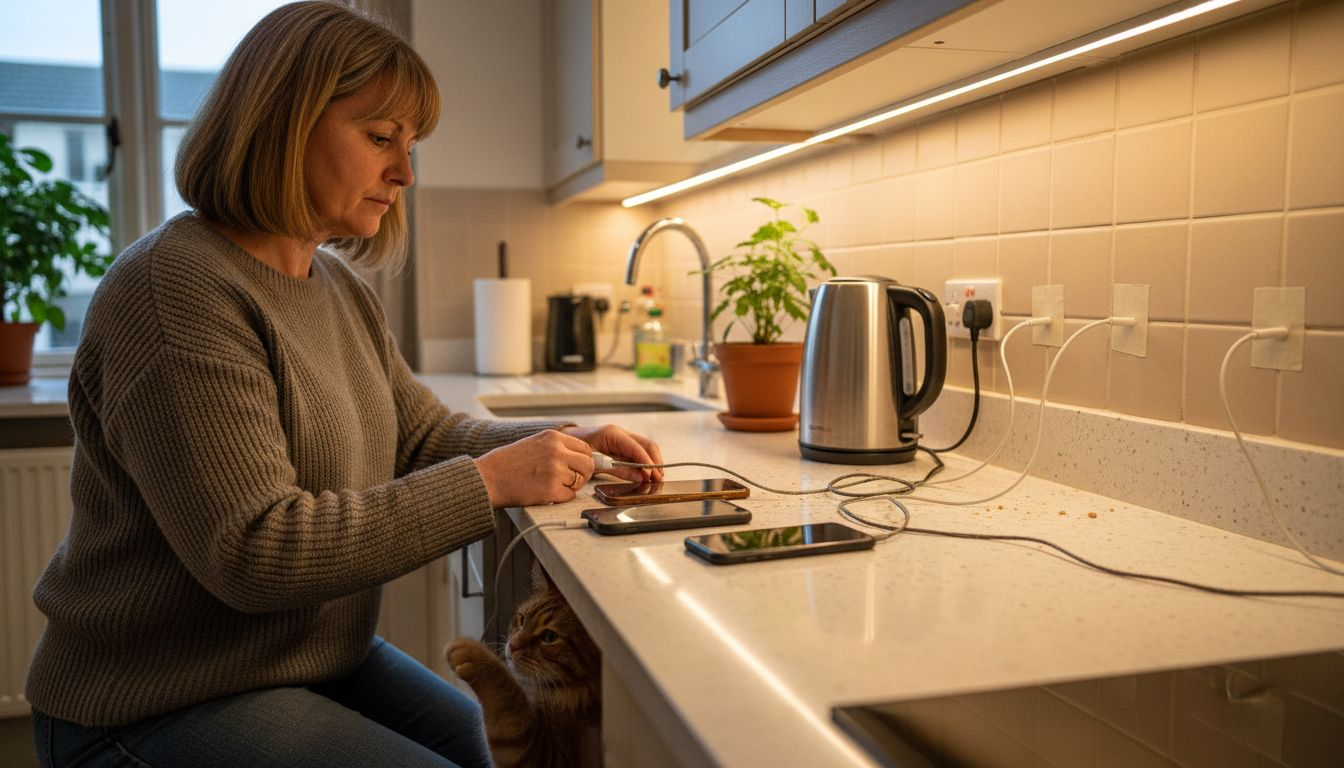
Keep chargers away from high-traffic areas where children or pets might trip over cables. Route wires along skirting boards or under furniture rather than across walkways. This simple step prevents accidents and reduces stress on cable connectors, which extends charger lifespan significantly.
Maintain proper ventilation around your charging space. Chargers generate heat, and crowding multiple devices together traps that heat, potentially damaging batteries or creating fire risks. Leave at least 15 centimetres of clear space around each charger for air circulation.
Organise your chargers strategically:
- Use a designated charging station with separate slots for each family member’s device
- Label chargers clearly so people grab the correct one
- Keep spare cables in a drawer nearby for quick replacements
- Position the space away from direct sunlight, which accelerates battery degradation
Check your home’s electrical infrastructure to ensure your charging area doesn’t overload circuits. Smart charge points meet security standards to manage power flow safely. If you’re adding multiple outlets, consult a qualified electrician to avoid electrical strain.
Make the space child-safe by keeping chargers at appropriate heights and ensuring trailing cables can’t become strangulation hazards. Store backup chargers away from curious hands in a secure cupboard or drawer.
A well-organised charging space takes minutes to set up but prevents damage, accidents, and stress for months ahead.
Pro tip: Install a small surge-protected power strip with an on/off switch in your charging space so you can safely cut power instantly if you notice any burning smells, unusual heat, or device malfunctions.
Step 3: Connect devices correctly and safely
Proper connection technique protects your device’s charging port and battery whilst ensuring safe power delivery. Rushing this step or using damaged cables causes long-term damage that becomes expensive to repair.
Start by inspecting the connector before you plug anything in. Look for bent pins, corrosion, or debris inside the port on your phone or tablet. Gently clean the port with a dry cotton bud if you notice dust or lint accumulated inside.
Examine the charger cable as well. Check for fraying, exposed wires, bent connectors, or any signs of wear. If the cable looks damaged, replace it immediately rather than risking electrical hazards or device damage.
Align the connector carefully and slowly when inserting it into your device. Push straight in with gentle pressure, never at an angle or with force. The connector should slide in smoothly without resistance. Stop if you feel resistance and recheck the alignment.
Once connected, your device should respond within seconds. Most phones display a charging indicator or notification confirming the connection. If nothing appears after 10 seconds, disconnect and try again with a different cable or charger.
Avoid these common mistakes that damage devices:
- Leaving connectors loose or partially inserted
- Forcing connectors at odd angles
- Yanking cables out aggressively instead of gently pulling
- Bending cables excessively or wrapping them too tightly
- Charging whilst the device is actively in use for demanding tasks
Use only manufacturer-approved chargers and batteries recommended by your device maker. Third-party options certified for your specific phone model work safely, but incompatible chargers risk damage or dangerous electrical faults.
Never leave devices charging unattended, particularly overnight. Check periodically that the device isn’t excessively warm. Normal warmth during charging is fine, but heat you can’t comfortably hold your hand against signals a problem.
Correct connection takes seconds but prevents damage that could cost hundreds of pounds in repairs or device replacement.
Pro tip: If your charging port feels loose or the connection seems unreliable, stop using that port and have it professionally inspected—continuing to use a damaged port only makes repairs more expensive.
Step 4: Monitor charging activity
Active monitoring during charging prevents dangerous situations and catches problems before they cause device damage. Staying aware of what’s happening whilst your phone or tablet charges takes minimal effort but makes a real difference.
Start by checking the device temperature every few minutes during the first charge cycle. Hold your phone near the back and sides where the battery sits. The device should feel warm, not hot. If you can’t comfortably hold it for 10 seconds, unplug immediately and investigate.
Listen for unusual sounds coming from your charger or device. A faint hum is normal, but crackling, buzzing, or sizzling sounds indicate electrical problems. Unplug straight away if you hear anything alarming and don’t use that charger again.
Watch for visible warning signs that demand immediate action:
- Smoke or burning smells from the charger or device
- Discolouration or melting around the connector
- Battery suddenly draining whilst supposedly charging
- Device repeatedly disconnecting and reconnecting
- Unusual battery drain when unplugged after charging
Keep chargers visible and within sight whilst devices power up. Smart charge point monitoring systems help detect irregularities in energy flow. Many modern devices include software notifications if charging problems occur, so pay attention to any warnings your phone displays.
Set reasonable charging times based on your device’s needs. Most phones reach full charge in 90 minutes to two hours. Leaving devices plugged in continuously overnight or for days strains the battery unnecessarily. Unplug once charging completes to extend battery lifespan.
Check your charging habits weekly. Notice whether your device charges normally, holds its charge longer, or drains faster than usual. Changes in charging behaviour often signal battery degradation or charger issues requiring attention.
Regular monitoring catches small problems before they become expensive repairs, protecting your investment and your family’s safety.
Pro tip: Create a simple household rule that nobody leaves devices charging unattended, and teach your children to report any unusual heat, sounds, or smells immediately rather than assuming everything is fine.
Step 5: Check device and charger safety regularly
Regular safety inspections catch problems early before they escalate into dangerous situations. A quick monthly review of your chargers and devices takes just minutes but protects your investment and your family’s wellbeing.
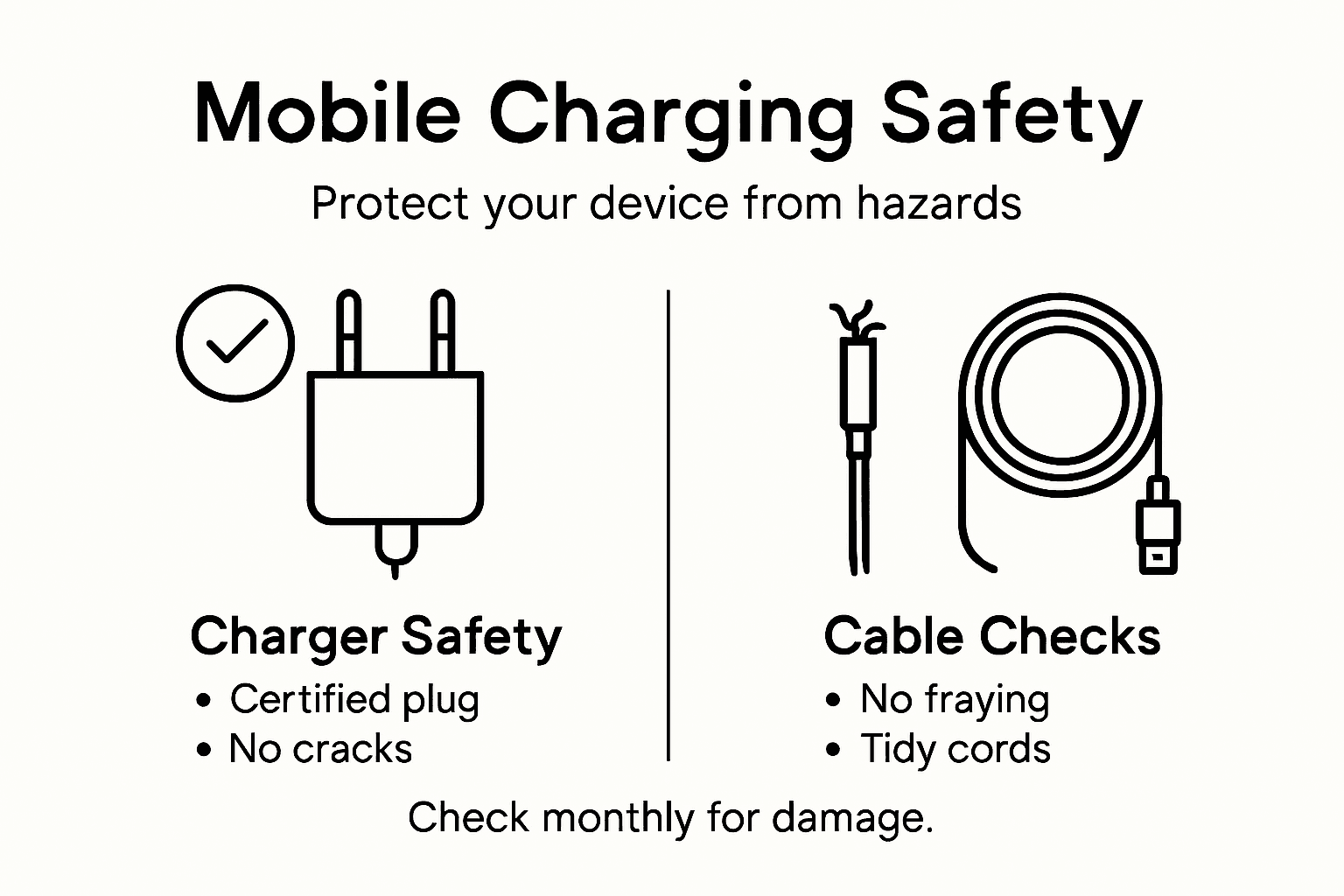
Start with a visual inspection of all chargers you actively use. Look for cracks, burns, or discolouration on the plastic casing. Check the connector end for bent pins, corrosion, or loose components that might indicate previous damage or wear.
Examine cables thoroughly for fraying, kinks, or exposed wiring. Even minor damage to insulation creates electrical hazards. If you spot any deterioration, bin the charger immediately and replace it with a genuine alternative from an authorised retailer.
Inspect your device’s charging port next. Look inside using a torch to check for accumulated lint, corrosion, or bent connectors. A loose or corroded port signals it’s time to have your phone serviced by a professional repair centre.
Check your device’s physical condition too:
- Feel the back panel for any swelling or bulging
- Look for cracks in the screen or casing
- Test that the power button responds normally
- Verify the battery drains at a normal rate after charging
Signs of battery damage such as swelling require immediate professional assessment. Never attempt to repair a damaged battery yourself. Contact your device manufacturer or an authorised repair shop straight away.
Verify your charger’s authenticity regularly. Counterfeits sometimes infiltrate the market, and knowing how to spot genuine products protects your devices. Check packaging for clear branding, proper spelling, and official logos. Compare the charger against manufacturer photos online to confirm legitimacy.
Create a simple maintenance schedule. Check your most-used chargers every month and rarely-used ones every three months. Keep notes of any issues you discover so you can track patterns or recurring problems across devices.
Below is a summary showing the impact of safe versus unsafe charging habits:
| Charging Habit | Positive Impact | Negative Impact |
|---|---|---|
| Using certified accessories | Ensures long device lifespan | Device and battery damage |
| Secure charging station | Reduces risk of accidents and damage | Tripping hazards, cable breakage |
| Proper connection technique | Maintains charging port integrity | Costly repairs due to port damage |
| Active monitoring | Prevents fire and overheating | Missed warning signs, safety risk |
| Regular safety checks | Early fault detection, peace of mind | Higher chance of unnoticed hazards |
Monthly safety checks prevent small problems from becoming dangerous situations, saving money and protecting your family.
Pro tip: Take clear photos of each family member’s charger and note the brand, model, and purchase date in a document—this makes it easy to verify authenticity later or file warranty claims if problems arise.
Protect Your Devices with Trusted Accessories from StudioShake
The “Safe Mobile Charging Guide for Device Protection” highlights the importance of using genuine chargers and creating secure charging spaces to prevent device damage and ensure your family’s safety. If you want to avoid the risks of overheating, battery degradation, and electrical hazards, combining these safety practices with high-quality accessories is essential. At StudioShake, we understand the challenges of maintaining device longevity and offer solutions designed with your protection in mind.
Explore our Tech Accessories – StudioShake collection to find reliable cables, chargers, and protective cases that complement safe charging habits. Whether you want to secure your phone with a top-rated case or upgrade to a safer charging station, our selection supports your goal of safe and effective device care. Trust genuine products that match the compatibility and standards described in the guide to give you peace of mind every time you charge.

Take control of your device safety today. Visit StudioShake now to browse essential items that protect your gadgets while enhancing your charging setup. Don’t wait until damage happens. Support your smart charging habits with accessories you can rely on.
Frequently Asked Questions
How can I identify a reliable charger for my mobile device?
A reliable charger typically comes from an authorised retailer, has proper certification markings, and a solid build quality. Inspect the packaging for CE markings and choose products that match your specific device model to ensure compatibility and avoid potential damage.
What steps should I take to create a secure charging space at home?
To create a secure charging space, choose a flat, stable surface away from water sources and high-traffic areas. Ensure adequate ventilation around chargers, and consider using a designated charging station with clearly labelled slots for each device to keep everything organised and prevent accidents.
What are the correct techniques for connecting my charger to my device?
Properly connecting your charger involves inspecting the connector for debris and ensuring your device’s port is clean. Align the connector carefully and avoid forcing it in; it should slide in smoothly without resistance to maintain the integrity of your device’s charging port.
How can I monitor charging activity to ensure device safety?
Monitor your device during charging by checking its temperature, listening for unusual sounds, and looking out for warning signs such as smoke or unusual heat. Unplug the device if it becomes excessively warm and investigate any irregularities immediately to prevent potential hazards.
What should I regularly check for on my chargers and devices?
Regularly inspect your chargers and devices for signs of wear, such as cracks, frayed cables, or discolouration. Conduct these checks monthly to catch any problems early, which helps ensure ongoing device safety and prevents costly repairs later on.
Why is it important to use certified charging accessories?
Using certified charging accessories is crucial as they meet safety standards that protect against electrical hazards and device damage. Choose chargers with clear certification markings to ensure a safe connection, ultimately extending the lifespan of your devices.
Recommended
- What Is MagSafe Technology? Complete Guide for 2024 – StudioShake
- Case Wireless Charging Support: Complete Guide UK – StudioShake
- Mobile Gadget Protection Guide for Parents and Adults UK – StudioShake
- The Essential Guide to Why Use Mobile Accessories – StudioShake
- Why Use Battery Management Systems for Off-Grid Energy – Skyenergi